1. 컨트롤러로 스페이스 스톤 잡기
왼손은 방패를 잡고 있으므로 오른손으로 잡도록 한다. 우리는 컨트롤러로 하는거니까

right에 controllerGrabInteractor을 추가한다.
controllerInteractors에 BestHoverInteractorGroup의 Interactors에 ControllerGrabInteractor를 끌어다가 넣는다.
잡힐 물체에 boxcollider(is Trigger 체크), RigidBody(useGravity 언체크), Grabble, Grab Interactable 을 추가한다.
2. 잡으면 '씬전환' 로그 찍기
event wrapper 사용
pointable unity Event wrapper 추가
내가 만든 스크립트 추가
using System.Collections;
using System.Collections.Generic;
using UnityEngine;

public class SpaceStone : MonoBehaviour
{
    public void OnWhenSelect()
    {
        Debug.Log("씬전환");
    }
}
스크립트 작성
When Select의 SpaceStone을 끌어다넣고
OnWhenSelect선택
잡으면 로그찍힘
2. 실제로 fade out되면서 씬전환
using Meta.WitAi;
using System.Collections;
using System.Collections.Generic;
using UnityEngine;

public class SpaceStone : MonoBehaviour
{
    private OVRScreenFade OFade;
    private GameObject centerEyeAnchor;
    [SerializeField] private GameObject missionClearPrefab;
    void Start()
    {
        this.centerEyeAnchor = GameObject.Find("CenterEyeAnchor");
        OFade = this.centerEyeAnchor.transform.GetComponent<OVRScreenFade>();
    }
    public void OnWhenSelect()
    {
        //미션완료 팝업
        Instantiate(this.missionClearPrefab);
        //조금 있다가
        //페이드아웃
        this.StartCoroutine(CoFadeOut());
    }

    private IEnumerator CoFadeOut()
    {
        yield return new WaitForSeconds(5f);
        OFade.FadeOut();
        Debug.Log("코루틴 실행중");
    }
}
문제점. 잡을때마다 미션 클리어 뜸
bool값으로 한번만 뜨도록 설정
using Meta.WitAi;
using System.Collections;
using System.Collections.Generic;
using UnityEngine;

public class SpaceStone : MonoBehaviour
{
    private OVRScreenFade OFade;
    private GameObject centerEyeAnchor;
    private bool isSelect = true;
    [SerializeField] private GameObject missionClearPrefab;
    void Start()
    {
        this.centerEyeAnchor = GameObject.Find("CenterEyeAnchor");
        OFade = this.centerEyeAnchor.transform.GetComponent<OVRScreenFade>();
    }
    public void OnWhenSelect()
    {

        if (isSelect == true)
        {
            //미션완료 팝업
            Instantiate(this.missionClearPrefab);
            //조금 있다가 페이드아웃
            this.StartCoroutine(CoFadeOut());
        }
    }
    public void OnWhenUnSelect()
    {
        this.isSelect = false;
    }

    private IEnumerator CoFadeOut()
    {
        yield return new WaitForSeconds(5f);
        OFade.FadeOut();
        Debug.Log("코루틴 실행중");
    }
}
놨을때 isSelect를 false로 만들어서 다시 잡아도 생성되지 않도록 만들었다.
4. 그랩 포즈 잡기
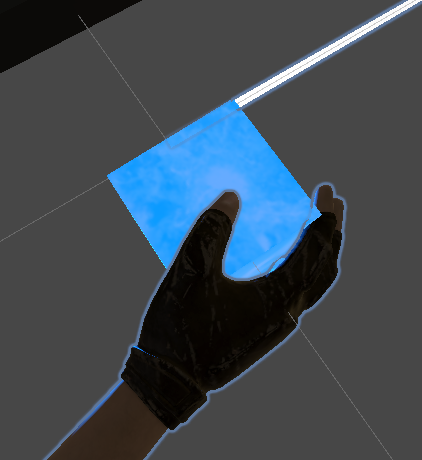
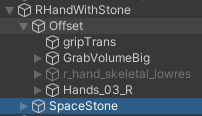
스톤을 잡고 있는 손을 하이어라키에 만든다.
잡으면 원래 손을 끄고, 이 손을 켜줄것이다.
Update에서 위치도 받아와야한다.
using Meta.WitAi;
using System.Collections;
using System.Collections.Generic;
using UnityEngine;

public class SpaceStone : MonoBehaviour
{
    [SerializeField] private GameObject missionClearPrefab;
    [SerializeField] private GameObject rHandWithStone;
    [SerializeField] private GameObject rCustomHand;

    private OVRScreenFade OFade;
    private GameObject centerEyeAnchor;
    private bool isSelect = true;
    private bool isGrab = false;
    private Transform rHand;
    private MeshRenderer meshRenderer;

    void Start()
    {
        this.rHand = GameObject.Find("RightHandAnchor").transform;
        this.centerEyeAnchor = GameObject.Find("CenterEyeAnchor");
        OFade = this.centerEyeAnchor.transform.GetComponent<OVRScreenFade>();
        this.meshRenderer = this.GetComponent<MeshRenderer>();
    }
    private void Update()
    {
        if (this.isGrab == true)
        {
            this.rHandWithStone.transform.localPosition = rHand.position;
            this.rHandWithStone.transform.localRotation = rHand.rotation;
        }
    }

    public void OnWhenSelect()
    {
        this.isGrab = true;
        if (isSelect == true)
        {
            //미션완료 팝업
            Instantiate(this.missionClearPrefab);
            //조금 있다가 페이드아웃
            this.StartCoroutine(CoFadeOut());
        }

        this.rHandWithStone.SetActive(true);
        this.rCustomHand.SetActive(false);
        this.meshRenderer.enabled = false;
    }

    public void OnWhenUnSelect()
    {
        this.isGrab = false;
        this.isSelect = false;

        this.rHandWithStone.SetActive(false);
        this.rCustomHand.SetActive(true);
        this.meshRenderer.enabled = true;
    }

    private IEnumerator CoFadeOut()
    {
        yield return new WaitForSeconds(5f);
        //OFade.FadeOut();
        Debug.Log("코루틴 실행중");
    }
}
그리고 잡으면 원래 있던 스페이스 스톤을 없애고, 잡고있는 스톤만 남아야하는데
걔를 없애면 오류남.. 그래서 고민하다가 mesh만 껐다 키기로 함
위에가 그 코드
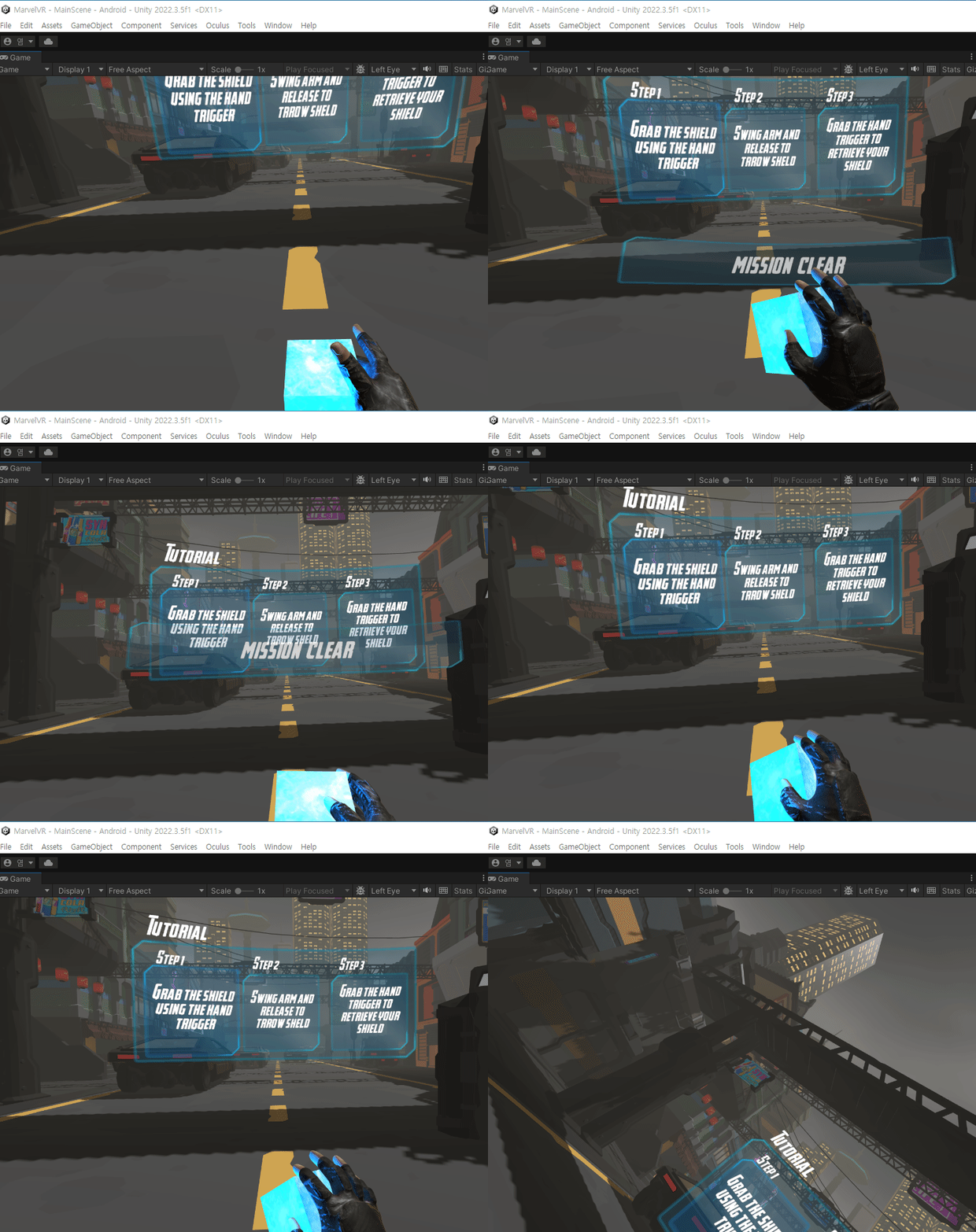
전체 결과물
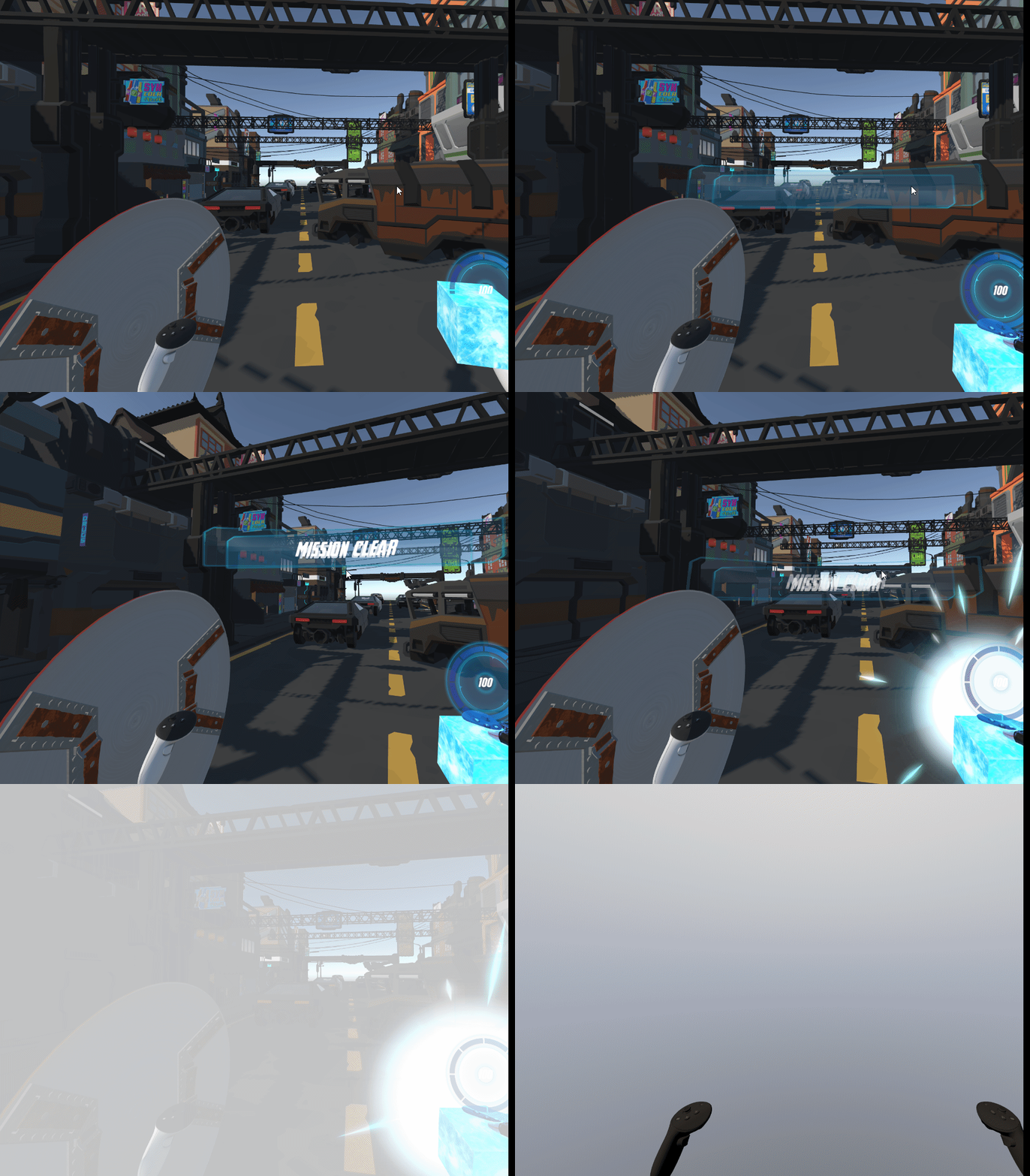
5. 빛 나오면서 페이드 아웃되기
이펙트의 크기를 점점 키우기
using DG.Tweening;
using Meta.WitAi;
using System.Collections;
using System.Collections.Generic;
using UnityEngine;
using UnityEngine.UIElements;

public class SpaceStone : MonoBehaviour
{
    [SerializeField] private GameObject missionClearPrefab;
    [SerializeField] private GameObject rHandWithStone;//프리팹으로 넣으면 직접 찾아줘야함
    [SerializeField] private GameObject rCustomHand;//프리팹으로 넣으면 직접 찾아줘야함
    [SerializeField] private GameObject lightEffect;

    private OVRScreenFade OFade;
    private GameObject centerEyeAnchor;
    private bool isSelect = true;
    private bool isGrab = false;
    private Transform rHand;
    private MeshRenderer meshRenderer;

    void Start()
    {
        this.rHand = GameObject.Find("RightHandAnchor").transform;
        this.centerEyeAnchor = GameObject.Find("CenterEyeAnchor");
        OFade = this.centerEyeAnchor.transform.GetComponent<OVRScreenFade>();
        this.meshRenderer = this.GetComponent<MeshRenderer>();
        this.StartCoroutine(this.CoMove());
    }

    private void Update()
    {
        if (this.isGrab == true)
        {
            this.rHandWithStone.transform.localPosition = rHand.position;
            this.rHandWithStone.transform.localRotation = rHand.rotation;
        }
        this.transform.Rotate(Vector3.up *10f* Time.deltaTime, Space.World);
    }

    public void OnWhenSelect()
    {
        this.isGrab = true;
        if (isSelect == true)
        {
            //미션완료 팝업
            Instantiate(this.missionClearPrefab);
            //조금 있다가 페이드아웃
            this.StartCoroutine(CoFadeOut());
            this.StartCoroutine(CoIncreaseScale());
        }

        this.rHandWithStone.SetActive(true);
        this.rCustomHand.SetActive(false);
        this.meshRenderer.enabled = false;

    }

    public void OnWhenUnSelect()
    {
        this.isGrab = false;
        this.isSelect = false;

        this.rHandWithStone.SetActive(false);
        this.rCustomHand.SetActive(true);
        this.meshRenderer.enabled = true;
    }

    private IEnumerator CoFadeOut()
    {
        yield return new WaitForSeconds(3.5f);
        OFade.FadeOut();
    }

    private IEnumerator CoMove()
    {
        yield return new WaitForSeconds(1f);
        while (true)
        {
            this.transform.position = Vector3.MoveTowards(this.transform.position, this.centerEyeAnchor.transform.position + new Vector3(0, -0.3f, 0), 0.02f);
            var dis = Vector3.Distance(centerEyeAnchor.transform.position+new Vector3(0,-1f,0), this.transform.position);
            if (dis < 0.8f)
            {
                break;
            }
            yield return null;
        }
    }

    private IEnumerator CoIncreaseScale()
    {
        yield return new WaitForSeconds(2f);
        this.lightEffect.SetActive(true);
        while (true)
        {
            this.lightEffect.transform.localScale += new Vector3(0.002f, 0.002f, 0.002f);
            yield return null;
        }
    }
}
'마블 VR 프로젝트 제작' 카테고리의 다른 글
| 버그 수정 (1) | 2024.01.08 |
|---|---|
| [마블 VR] 게임 클리어하면 다음 스테이지 오픈 (0) | 2024.01.03 |
| [마블 VR] 플레이어 HP 감소하기 (0) | 2024.01.02 |
| [마블 VR] 근접 공격 튜토리얼 완료 -> 적 생성 (1) | 2023.12.29 |
| [마블 VR] 두번 째 포인트 공중 적 생성/이동/공격 (2) | 2023.12.27 |


